


Accounts Payable Automation for Care Providers
Control spending and invoice approvals across care services
Care providers manage high volumes of supplier invoices across multiple homes, departments and teams. When purchase orders, approvals and invoices are handled through email or paper, finance teams lose visibility and spend time chasing approvals.
Zahara gives care organisations a structured purchase-to-pay process, helping staff raise purchase orders, managers approve spending and finance teams process invoices in one system.



Trusted by finance teams managing spend across care organisations

















Purchase-to-Pay for Care Providers
How does Zahara help care providers manage purchase-to-pay?
Purchase-to-pay introduces control before money is committed. Staff create purchase orders when they need goods or services, and requests are sent to the right manager for approval before orders are placed.
When supplier invoices arrive, Zahara helps match them against purchase orders and keeps the approval trail in one place.
For care providers managing multiple homes and suppliers, this creates a consistent process for ordering, approvals and invoice processing.
See if Zahara is a good fit for you in under 15 minutes.
Schedule a Scoping CallApprove spend before ordering
Care home staff can submit purchase requests that are approved before orders are placed with suppliers.
Route approvals by home or team
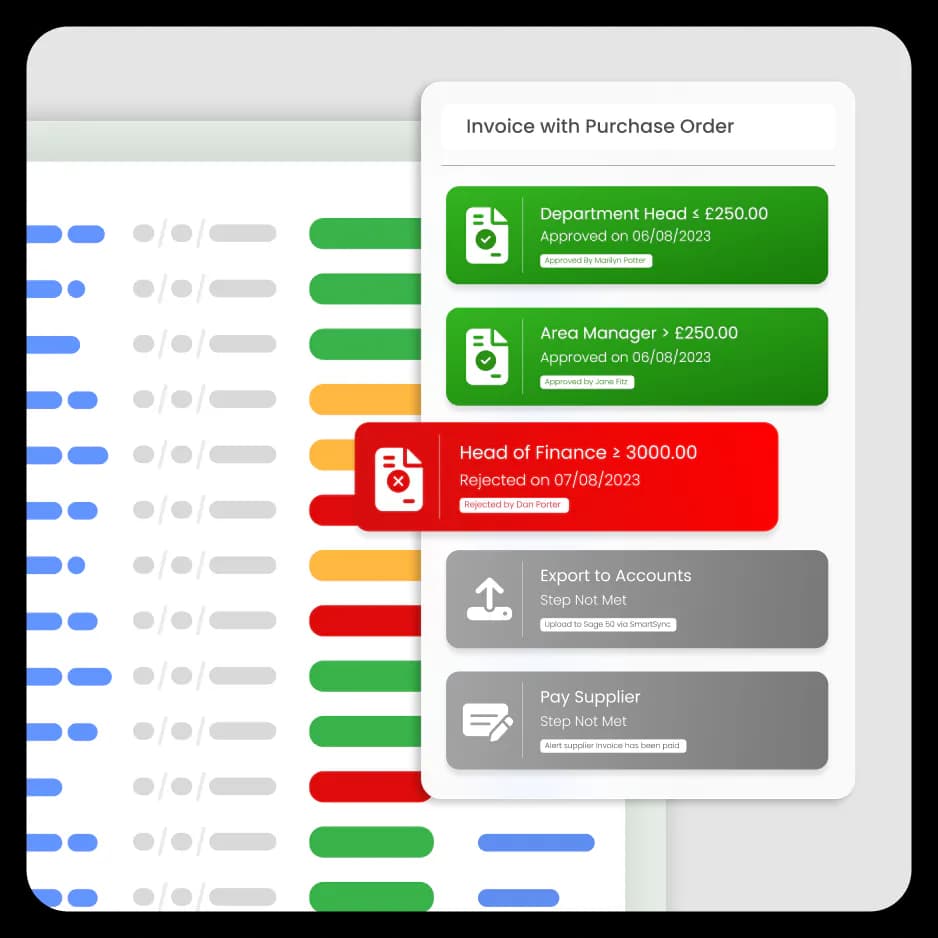
Approval requests are automatically routed based on care home, department, value or role, ensuring the right people sign off.
Match invoices to purchase orders
Supplier invoices can be matched against purchase orders, reducing the risk of incorrect invoices or unexpected charges.
Keep supplier costs visible
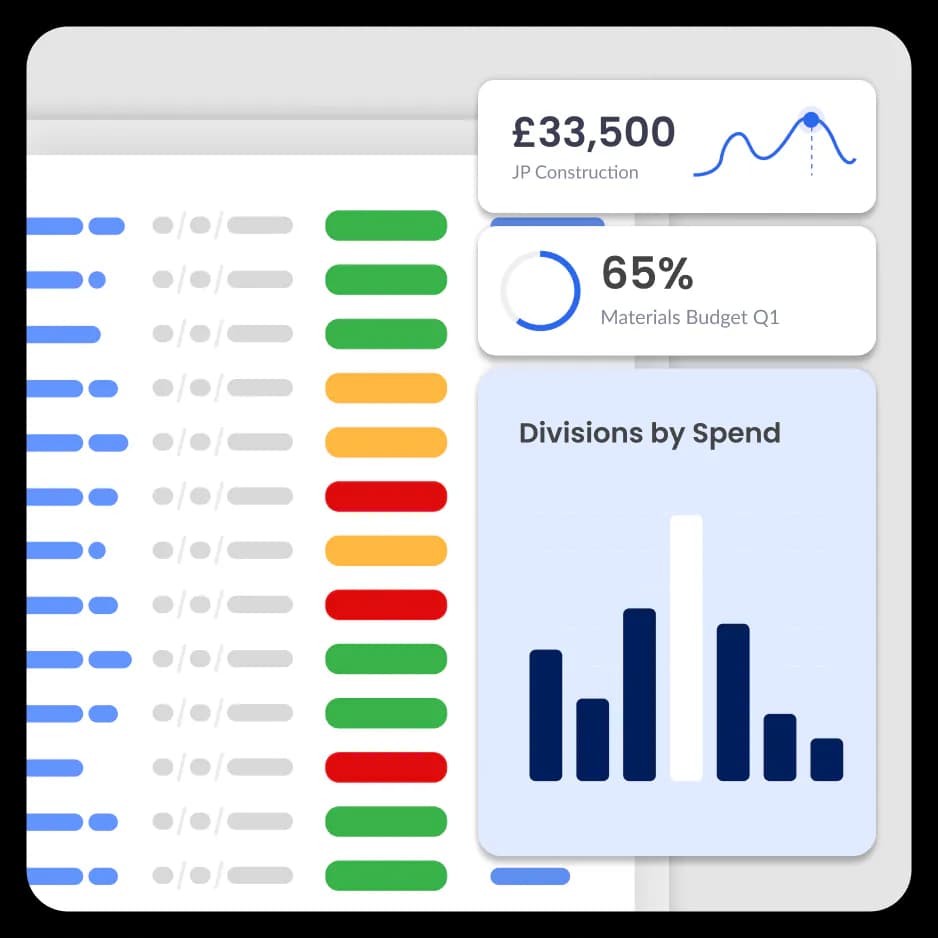
Finance teams can see what has been ordered, who approved it and which budget the cost belongs to.
Care Provider Finance Challenges
What financial challenges do care providers face when managing supplier invoices?
Care providers often process invoices from food suppliers, medical providers, maintenance contractors and agency staff.
Without a structured purchase-to-pay process, finance teams can struggle with delayed approvals, missing purchase orders and limited visibility over supplier costs.
High invoice volumes
Care providers receive invoices from many suppliers. Manual processing increases workload and raises the risk of errors.
Approvals across multiple locations
Invoices often need approval from managers across different care homes. Email or paper approvals slow the process and cause delays.
Lack of spending visibility
Without purchase orders, finance teams only see costs once invoices arrive. This makes it harder to control budgets.
Audit and compliance pressure
Manual processes make it harder to track approvals and maintain clear financial records for audits.
Purchase-to-Pay Workflow — Care Providers
Control care home spending from request to invoice
Every purchase follows a clear process. Teams create purchase requests, approvals are routed automatically and invoices are captured using AI with no manual data entry.
Finance can track care home purchases, supplier invoices and approval decisions before costs reach payment.
Learn More about Accounts Payable automation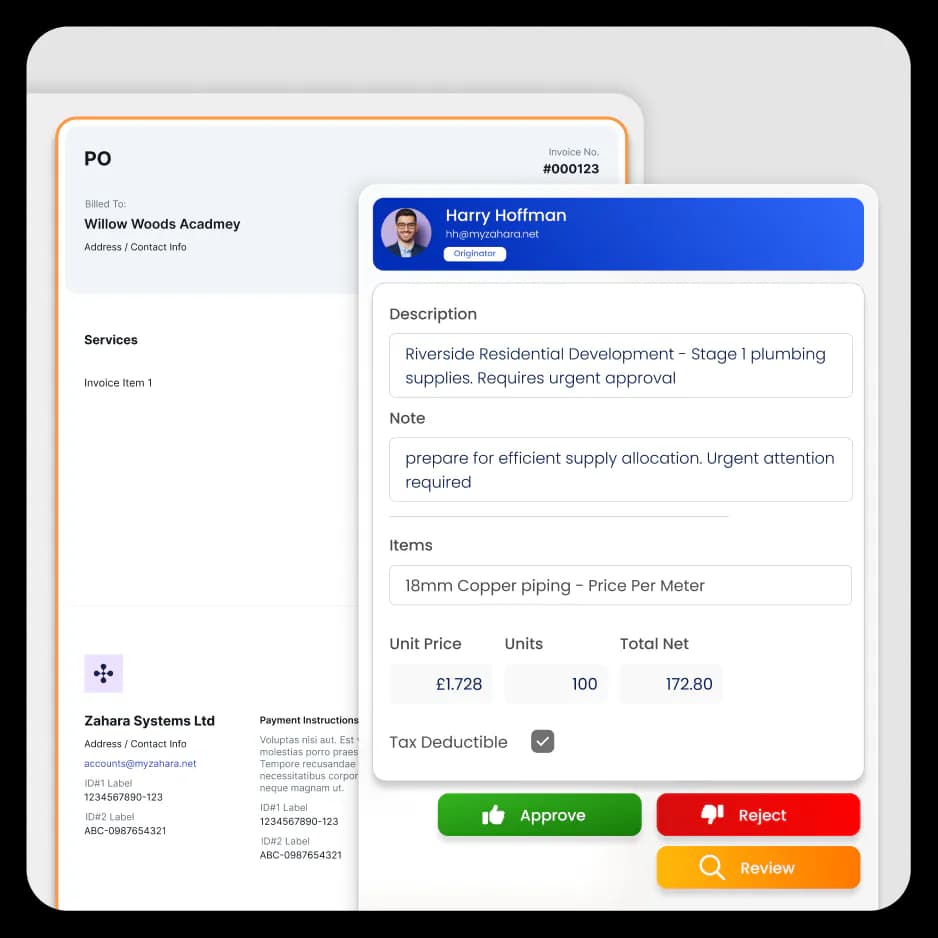
Seamless AP automation,
tailored to your finance system.
Zahara integrates with the tools your finance team already trusts, including Xero, QuickBooks, Sage and MYOB.




CITU
Zahara is intuitive and easy to use. It has helped us gain control of our purchasing, deliver our projects on budget, improve cashflow and relationships with our suppliers and sub-contractorsRead the full case study: how Zahara helped Citu
Frequently asked questions
If you're exploring accounts payable automation, you may have a few questions. Here are answers to the most common things finance teams ask when evaluating Zahara.
Yes. Zahara allows care providers to manage purchase requests, approvals and supplier invoices across multiple locations while keeping a clear record of spending for each care home.
Invoices are automatically routed to the correct managers based on approval rules. Managers can review and approve invoices quickly without relying on email or paper processes.
Yes. Zahara matches supplier invoices to the original purchase order, helping finance teams confirm that prices, quantities and suppliers are correct before payment.
Zahara records every request, approval and invoice action. Finance teams can see who approved spending and when, creating a clear audit trail.
Yes. Staff can create purchase requests in Zahara, which are automatically sent to the correct manager for approval before orders are placed.
