
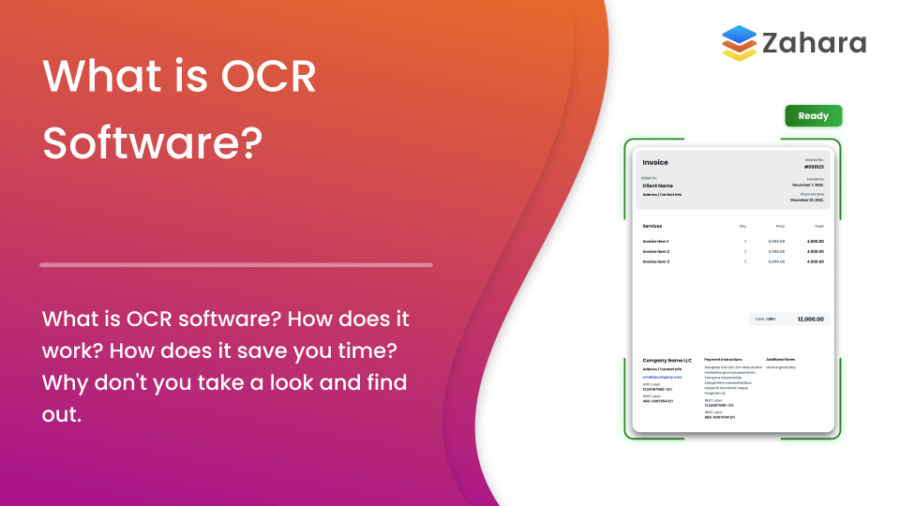
OCR software (Optical Character Recognition software) converts images of text into machine-readable data. It plays a key role in automating document workflows such as invoice processing and data capture.
This guide explains how OCR software works, where it is used, its benefits, and what to expect next.
How does OCR software work?
Table of Contents
OCR software converts scanned documents or images into editable data. If you are asking “what is OCR software?”, this is the core function.
The process follows these steps:
- Image Acquisition
Capture the document using a scanner or camera. Higher resolution improves accuracy. - Pre-processing
Clean the image by adjusting contrast, removing noise, and converting to black and white. - Text Recognition
OCR software analyses character shapes and patterns. Modern tools use machine learning to improve results. - Post-processing
Errors are corrected using dictionaries and context rules. - Output Generation
The extracted text is exported into formats like Word, PDF, or plain text.
Types of OCR Software
Different types of OCR software support different use cases:
- Simple OCR
Best for printed text in standard fonts. - Intelligent OCR (ICR)
Recognises handwritten text. - Optical Mark Recognition (OMR)
Detects ticks and checkboxes. - Barcode Recognition
Reads structured codes for inventory and tracking.

Martin Peirce
Founder and CEO
Common Applications of OCR Software
OCR software is widely used across industries to reduce manual work and improve access to data.
- Document Digitisation
Convert paper records into searchable digital files. - Invoice Processing
Extract invoice data automatically and reduce manual input. - Data Entry Automation
Capture data from forms without manual typing.
You might be interested in this article: How automation improves accounts payable accuracy. - Language Translation
Convert printed text into digital text for translation tools. - Assistive Technology
Enable text-to-speech for accessibility.
Benefits of OCR Software
Using OCR software delivers clear operational gains:
- Faster Processing
Automates repetitive data entry tasks. - Lower Costs
Reduces reliance on manual input. - Higher Accuracy
Minimises human error in data capture. - Improved Access
Makes documents searchable and easy to retrieve. - Better Data Control
Supports structured digital records. - Reduced Paper Usage
Cuts storage and printing needs.
Challenges and Limitations
OCR software is effective, but not perfect:
- Accuracy Limitations
Poor-quality scans reduce performance. - Complex Layouts
Multi-column or irregular formats may need manual checks. - Language Constraints
Some tools struggle with non-Latin scripts. - Security Risks
Digitised data must be protected. - Setup Costs
Initial investment and training may be required.
Future Trends in OCR Software
OCR software continues to improve through new technologies:
- AI Integration
Machine learning improves recognition accuracy over time.
See this research on AI in OCR for more detail. - Natural Language Processing (NLP)
Adds context to extracted data. - Real-time OCR
Mobile tools enable instant text capture. - Expanded Language Support
Better handling of global languages. - Blockchain Integration
Improves data security and traceability.
Zahara helps to complete all key aspects of the AP process.
Download Our Guide to AP AutomationFAQ
What is OCR software?
OCR software converts text from images or scanned documents into editable, searchable data.
How accurate is OCR software?
Accuracy is high with clear images but drops with poor quality scans or complex layouts.
Which industries use OCR software?
Finance, healthcare, legal, education, and government all rely on OCR software.
Key Data on OCR Applications
| Application | Benefit |
|---|---|
| Document Digitization | Reduced storage costs |
| Invoice Processing | Automated data extraction |
| Assistive Technology | Enhanced accessibility |
| Language Translation | Real-time translation |
Why OCR Software Matters
OCR software helps you process information faster and with fewer errors. It removes manual steps and gives you structured, usable data.
If your team handles invoices, receipts, or forms, OCR software can reduce workload and improve control.
Learn more about our pricing options or explore the features that make our solution stand out. For expert insights, check out our podcast.
OCR Software: Final Thoughts
OCR software has changed how businesses handle documents.
It reduces manual data entry.
It improves access to information.
It supports faster decision-making.
If you want to see OCR software in action, book a demo or start a free trial.
Some more useful articles from Zahara
- Ready to take off? invoice processing software — Discover how invoice processing software can streamline your finance operations and reduce manual tasks.
- Snap to it! invoice capture software — Learn how invoice capture software helps businesses speed up data entry and improve accuracy.
- Scan smart! OCR invoice scanning — Understand the benefits of OCR invoice scanning for faster and smarter invoice approvals.
- Flex your approvals! Flexible invoice approvals — Customers need flexibility in approval workflows for invoices and purchase orders. Find out how.
- Fast lane ahead! Pay invoices faster — Learn how Zahara can help you pay invoices faster.